


Okay - this was a test stream to improve the camera and OBS settings for streaming to Substack
Here’s some screenshots of my settings
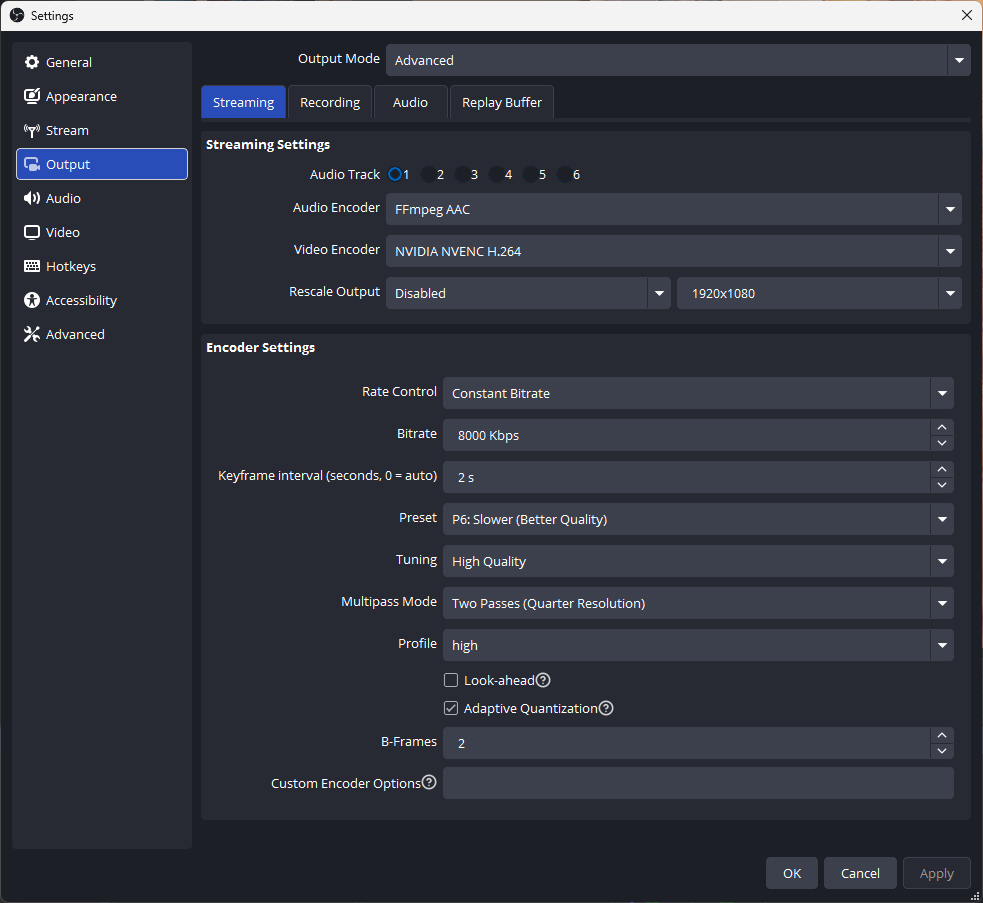
The bitrate is set to 8000 kbps - I think Substack might do a Twitch and downgrade the quality to a 720p video if it goes beyond that.
I don’t max out the quality as my PC is only an i5 and the difference between some of these settings is not enough to to warrant pushing it
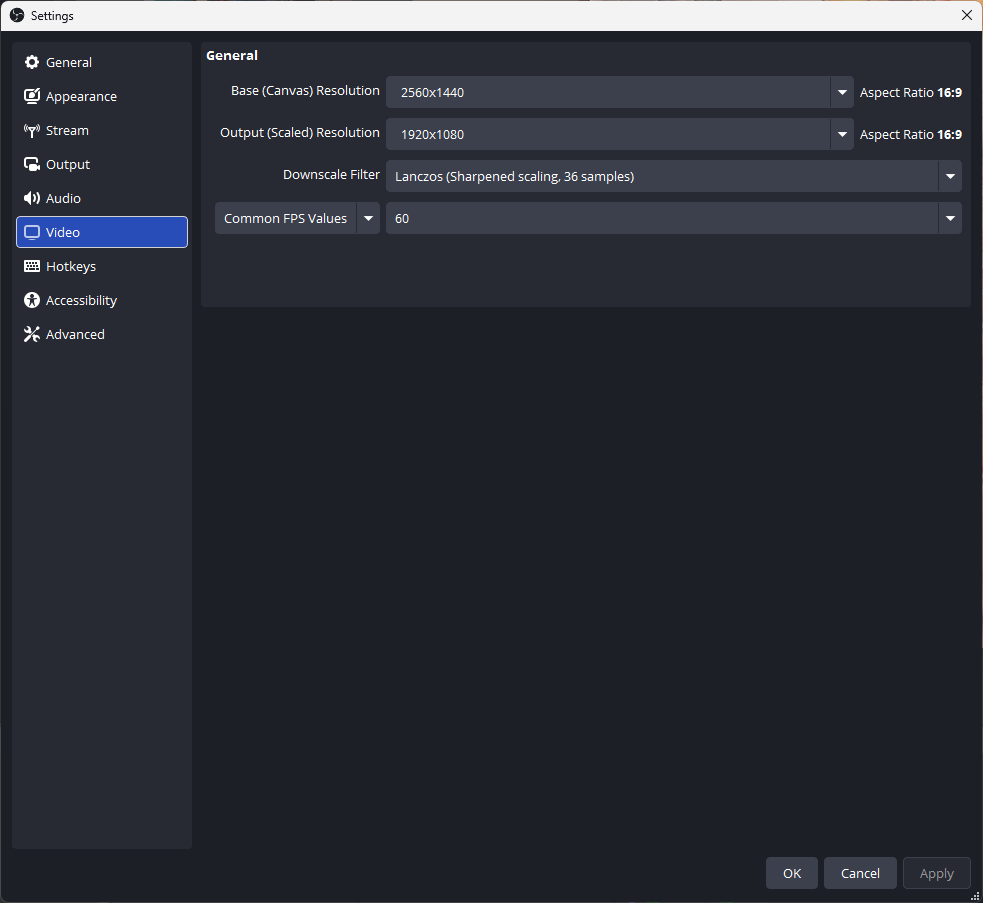
Frames are set to 60 - previously 30 and output is downscaled to 1080p since that is what my cameras are running at
Video streamed via an OBSBOT Tiny 2 Lite - with some good lighting to help it.
I did set the cameras to 60 fps both in their software and OBS to make sure that there were no conflicts.
Overall I think the quality was much better - previously I’ve had issues streaming to YouTube in 60FPS so I need to go try that next - but for Substack it seemed to be good
Now I just need to work on the content
For anyone interested I’ll be doing a stream from the studio on a regular basis - I haven’t worked out the right day for that yet but likely a Friday or if you are not in NZ that would be a Thursday as I live in the future.
I understand video is not for everyone however it is something I will try here for a while as there is a good artistic community on Substack and I’d like to end up being more part of that if possible.
If you have any questions about streaming then I’m happy to share what I’m learning - it is a bit of trial and error but you can’t learn to swim sitting on the beach.
Have a great weekend
David


